
Last reviewed: September 14, 2026.
A professional-looking movie or TV website can still be unsafe, unlicensed, or both. Modern templates are easy to copy, HTTPS is widely available, and a familiar logo does not tell you who operates a site. That means judging a streaming website by appearance alone is unreliable.
A better approach is to check several independent signals: the exact domain, browser warnings, operator identity, business model, content claims, advertising behavior, download prompts, app provenance, payment requests, domain registration history, and whether the service can be tied to a real company or rights holder.
This guide provides a practical framework you can use before entering a password, installing an app, sharing payment information, or trusting an unfamiliar streaming service. It focuses on safety and legitimacy, not on finding or accessing unauthorized streams.
Quick Answer: What Should You Check First?
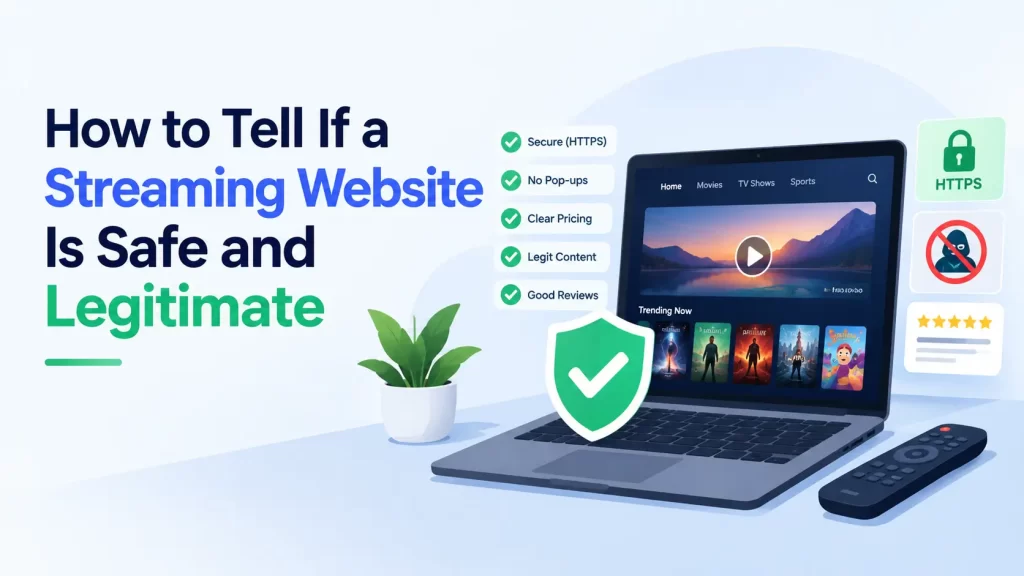
Do not rely on one signal. A streaming website is more reassuring when its identity, business model, apps, payment flow, and content rights make sense together. It becomes more concerning when it hides who runs it, claims to offer nearly every new release for free, forces downloads, opens aggressive redirects, asks for unusual “verification” payments, or triggers browser security warnings.
| Check | More reassuring | Warning sign |
|---|---|---|
| Web address | Exact domain matches the known company or official service | Misspellings, extra words, unusual subdomains, or copycat branding |
| HTTPS | Connection is encrypted | No HTTPS, certificate errors, or browser security warnings |
| Operator identity | Real company, support, terms, and contact information can be verified | Ownership is unclear and contact information is missing or inconsistent |
| Content model | Subscription, rental, purchase, broadcaster, or clearly explained ad-supported model | Every major new movie appears free with no credible explanation of licensing |
| Ads and redirects | Normal in-page advertising or no ads | Repeated pop-ups, fake play buttons, notification prompts, or unrelated redirects |
| Downloads | No unexpected software required | “Codec,” “player,” extension, installer, or APK required to watch |
| Payments | Transparent pricing and normal checkout | Card details requested for “free verification” or unexplained charges |
| App | Publisher identity matches the service and can be independently verified | Unknown APK or unrelated developer using the same brand name |
Safety, Security, and Legitimacy Are Different Questions
Before evaluating a streaming website, separate three ideas that are often confused.
Connection security
This asks whether the connection between your browser and the website is encrypted. HTTPS helps protect data while it travels between you and the site.
Technical safety
This asks whether the site, its advertisements, downloads, scripts, apps, or redirects expose you to phishing, malware, unwanted software, credential theft, or other security risks.
Legitimacy and authorization
This asks whether the service is what it claims to be and whether it has a credible basis for providing the films, shows, or live content it offers. A technically clean website can still distribute content without authorization. An authorized service can also suffer a security incident. These are separate questions.
The most reliable evaluation uses evidence from all three categories rather than treating one reassuring signal as a complete verdict.
1. Check the Exact Website Address
Start with the address bar, not the page design.
Scammers and copycat sites can imitate logos, colors, movie posters, navigation menus, and even legal pages. The domain is harder to fake without changing the actual address, which is why small spelling differences matter.
Look for misspellings and added words
Be cautious when a domain adds terms such as “official,” “free,” “new,” “HD,” “watch,” or a country name to a well-known brand. Those words do not prove fraud, but they should make you verify the operator rather than assume affiliation.
Check the full hostname
A familiar brand name can appear inside a longer subdomain controlled by somebody else. Read from the actual registered domain rather than stopping when you see a recognizable word.
Do not trust search-result position as proof
A high search ranking, sponsored placement, social-media link, forum post, or message from a friend is a discovery method, not authentication. Verify the destination independently before signing in or paying.
2. Understand What HTTPS Does and Does Not Prove
HTTPS is important, but it is commonly misunderstood.
Google’s Chrome security guidance explains that a secure connection means information sent to or received from the site is private in transit. Google also explicitly tells users to remain careful with personal information and to make sure they are on the correct site.
What HTTPS tells you
- The browser established an encrypted connection.
- The certificate presented to the browser passed the relevant validation process.
- Information in transit is better protected from casual interception than on an unencrypted HTTP page.
What HTTPS does not tell you
- That the streaming company is licensed.
- That the operator is honest.
- That advertisements or third-party redirects are safe.
- That a download is harmless.
- That the site will handle your data responsibly.
- That the domain belongs to the brand you think it does.
A phishing site can use HTTPS. A piracy clone can use HTTPS. A scam checkout page can use HTTPS. Treat encryption as a minimum technical requirement, not a trust badge.
3. Take Browser Warnings Seriously
Modern browsers use reputation and threat-detection systems to warn about known phishing, malware, social-engineering, and deceptive-download risks.
Google Safe Browsing, for example, checks sites, downloads, and extensions against systems designed to identify malicious or intrusive ads, malware, phishing, abusive extensions, and social engineering.
If your browser displays a full-page red warning, a dangerous-download warning, a certificate error, or a message saying a site may steal information, do not treat the warning as a routine obstacle between you and the video.
Do not disable security features just to make a stream work
An unfamiliar streaming page should not require you to turn off Safe Browsing, antivirus protection, browser security, or operating-system safeguards. A prompt telling you to weaken security first is itself a reason to stop.
4. Find Out Who Operates the Service
A legitimate streaming business should normally be traceable to an identifiable organization, broadcaster, studio, retailer, telecom company, library service, or other real operator.
Look for consistent company information
Check the footer, terms of service, privacy policy, billing information, support pages, app-store developer listing, and corporate website. The same organization should appear consistently across those surfaces.
Verify contact information independently
A contact page is useful only if it leads to a real support operation. Search the company name independently rather than relying entirely on phone numbers, email addresses, or social links provided by the questionable page itself.
Do not treat a privacy policy as proof
Privacy policies and terms pages are easy to copy or generate. Their presence is better than having no disclosures at all, but they should be evaluated alongside operator identity, payment information, apps, corporate records, and content rights.
A site that cannot explain who runs it deserves more caution before you provide personal information or install software.
5. Ask Whether the Business Model Makes Sense
Streaming rights cost money, but legitimate services do not all charge users in the same way. A legal service may be funded by subscriptions, advertising, rentals, purchases, a broadcaster, a public institution, a telecom bundle, a library, or another commercial arrangement.
The useful question is therefore not simply, “Is it free?” The better question is:
“Can I understand how this service is funded and why it is authorized to offer this content?”
Transparent models are easier to evaluate
A subscription service normally publishes plan information. A rental store shows prices. An ad-supported service explains that advertising funds access. A broadcaster or studio can be traced to the rights it controls.
Impossible-looking offers deserve scrutiny
Be cautious when an unknown site appears to offer nearly every major new theatrical film, every premium streaming original, and multiple paid sports channels for free while providing no credible explanation of its business or licensing relationships.
That does not automatically tell you whether the site contains malware, but it is a strong reason to question whether the content is authorized.
6. Check Whether the Content Claims Are Plausible
A catalogue can tell you a great deal about a streaming service.
Look at release timing
If an unfamiliar free site claims to offer a film that is still exclusive to cinemas or a paid platform, verify the title’s official release channels before assuming the free copy is authorized.
Look for territory logic
Streaming rights are often territorial. A legitimate service may offer different catalogues in different countries. A small unknown site claiming universal rights to everything everywhere should be able to explain how that arrangement works.
Look for rights-holder connections
Official broadcaster pages, studio sites, platform announcements, and recognized app-store publisher records can help verify where a title is legitimately available.
No single catalogue clue proves illegality. The goal is to ask whether the service’s content claims are consistent with a plausible licensed distribution model.
7. Watch How the Site Behaves When You Click Play
Some risks become visible only after interacting with the page.
Repeated redirects are a warning sign
A normal click on a video should not routinely open unrelated gambling pages, fake antivirus alerts, adult sites, giveaway pages, or a chain of unfamiliar domains.
Fake play buttons can be advertisements
If several oversized “Play,” “Download,” or “Watch HD” buttons surround the actual video player, some may be ad placements designed to trigger redirects rather than playback.
Notification requests should have a clear reason
A movie website generally does not need browser-notification permission just to play a video. If you allow notifications, the site may be able to send messages after you leave the page.
Chrome provides controls for reviewing and blocking site notifications and pop-ups in its notification and site-permission guidance.
Be alert for fake CAPTCHA instructions
The U.S. Federal Trade Commission warned in June 2026 about fake CAPTCHA scams that tell users to press keyboard shortcuts and run commands. Real CAPTCHAs do not need you to open a system command window or paste hidden commands. Following those instructions can install malware.
8. Be Suspicious of Players, Codecs, Extensions, and APKs
Modern browsers can play common streaming video without requiring a mysterious “HD player,” codec pack, browser extension, or executable installer from an unknown movie site.
Google’s Chrome download guidance says downloads may be blocked when they are dangerous, suspicious, unverified, or insecure. Chrome specifically notes that suspicious files can include unfamiliar files or archives that may be used to conceal malware.
High-risk prompts include:
- “Install this codec to continue.”
- “Your video player is outdated.”
- “Add this extension to unlock HD.”
- “Download our security certificate.”
- “Install this APK to continue watching.”
- “Disable antivirus before opening the file.”
If playback requires unknown software from the same unverified site you are trying to evaluate, you are being asked to trust the site before you have established that trust.
9. Treat Login and Payment Requests as High-Risk Moments
Browsing anonymously exposes less information than entering an email address, reused password, payment card, bank information, or identity document. That makes account creation and checkout the points where your verification standard should become stricter.
Do not reuse important passwords
The FTC’s phishing guidance explains that scammers try to steal passwords and financial information and recommends multi-factor authentication to reduce account risk.
Be skeptical of “free verification” charges
A page that advertises free streaming but then asks for card details “only to verify your age,” “confirm your country,” or “prove you are human” deserves close scrutiny. Pricing and billing should be clear before payment details are requested.
Pressure is a warning sign
The FTC advises consumers to be wary when a party pressures them to act immediately or insists on unusual payment methods. A legitimate entertainment subscription should not require secrecy, panic, gift cards, crypto transfers, or unexplained person-to-person payments.
10. Verify the App Publisher, Not Just the App Name
Streaming brands are frequently copied in app titles. An app called “Brand X Movies” is not automatically published by Brand X.
Check the developer identity
Compare the developer name, developer website, support email, privacy policy, and app-store links with the streaming service’s known corporate identity.
Review permissions
A video app may reasonably need network access and media-related permissions. It should have a clear explanation for sensitive access such as contacts, SMS, accessibility services, device administration, or other permissions unrelated to normal playback.
Be more cautious with sideloaded APKs
Google’s Android guidance states that apps from unknown sources can put the device and personal information at risk. Google recommends obtaining apps from Google Play where possible.
Google Play Protect checks apps from Google Play and also scans potentially harmful apps from other sources. Google recommends keeping Play Protect enabled.
An official app-store listing is a useful signal, but it is still not absolute proof of licensing or safety. Publisher identity and service affiliation should make sense together.
11. Use Domain Registration Data Carefully
Domain registration information can provide useful context, but it is often overinterpreted.
ICANN operates an RDAP-based registration data lookup service. Since January 28, 2025, RDAP has been the definitive source for generic top-level domain registration information in place of the older WHOIS model.
Useful questions include:
- When was the domain created?
- Which registrar is responsible for it?
- Does the creation date make sense for a service claiming a long operating history?
- Has the domain recently changed status?
But registration data has limits
Privacy-protected registration is not proof of fraud. Many legitimate domain owners use privacy services, and data-protection rules limit the personal information that is publicly available. ICANN itself notes that public registration data may not reveal the actual registrant in every case.
Likewise, a ten-year-old domain is not automatically trustworthy, and a newly registered domain is not automatically malicious. Treat domain age and registration details as supporting evidence, not a verdict.
12. Check Independent Reputation, but Avoid False Certainty
Before trusting an unfamiliar streaming service, search for independent reports about the domain, company, billing practices, apps, and security behavior.
Look for patterns, not one review
A single angry review may reflect a customer-service dispute. A single glowing review may be fake. Repeated reports of unauthorized charges, malware warnings, deceptive redirects, or inability to cancel are more meaningful when they come from independent sources.
A clean malware scan is not a licence certificate
Security scanners answer technical questions about what they can detect at a particular time. A “clean” result does not establish copyright authorization, operator identity, or future safety. Malicious advertisements can also rotate, meaning two visitors may not receive the same redirect.
A blocked result is stronger evidence
If your browser, operating system, or security software identifies a known phishing or malware threat, that is a reason to stop. Do not override a warning merely because another scanner reports no detections.
No automated reputation score should replace basic verification of the company, domain, business model, and software being offered.
A Two-Minute Streaming Website Safety Check
If you do not have time for a full investigation, use this short sequence before signing up, paying, or downloading anything:
- Read the exact domain. Make sure it matches the service you intended to visit.
- Check the browser status. Stop if the browser shows a dangerous-site, phishing, malware, or certificate warning.
- Identify the company. Find the operator in the terms, privacy policy, app listing, or corporate site.
- Ask how the service makes money. Subscription, rental, purchase, ads, broadcaster access, or another explainable model should be visible.
- Look at the catalogue. If the content offer appears commercially impossible, investigate further.
- Test behavior without giving data. Repeated pop-ups, redirects, fake buttons, or forced notification prompts are warning signs.
- Refuse unexpected software. Do not install unknown players, codecs, extensions, or APKs.
- Verify payment requests. Never provide a card merely for vague “verification.”
- Check the app publisher. The developer should match the service you intend to use.
- Search for independent reports. Look for recurring security, billing, or impersonation complaints.
If several of these checks fail, the safest decision is to leave rather than continue because one signal looks reassuring.
Six Things That Do Not Prove a Site Is Safe
1. “It has a padlock.”
The padlock indicates connection encryption, not business legitimacy or licensing.
2. “The design looks like Netflix.”
Layouts, logos, posters, and interface patterns can be copied easily.
3. “It appears first in search.”
Ranking or advertising placement does not authenticate the operator.
4. “The domain is old.”
An old domain can change ownership, purpose, or infrastructure.
5. “A scanner says zero malware detections.”
No scanner sees every possible future ad, redirect, script, or download, and malware detection does not measure copyright licensing.
6. “It has terms and a privacy policy.”
Legal-looking pages are useful only when the company behind them can be verified and the disclosures are consistent with the actual service.
Can a Free Streaming Website Be Legitimate?
Yes. “Free” does not automatically mean pirated or unsafe.
Some legitimate streaming services are funded by advertising. Others are provided by broadcasters, libraries, universities, public institutions, creators, or rights holders. Promotional free tiers and limited free catalogues also exist.
The difference is transparency. A legitimate free service should still provide a credible operator identity and a plausible explanation of where the content comes from and how the service is funded.
For users in the European Union, the EUIPO consumer copyright resources point users toward Agorateka, a portal for finding legal online offers of creative content in participating countries. In other regions, official broadcaster, studio, distributor, and platform websites are useful starting points.
What to Do If a Streaming Site Looks Suspicious
If something feels wrong, avoid interacting further while you investigate.
- Do not enter passwords or payment information.
- Do not install software, browser extensions, APKs, or “updates.”
- Do not enable browser notifications unless you genuinely want them.
- Do not follow instructions that ask you to open system tools or paste commands.
- Do not disable browser or antivirus warnings to make the page work.
- Close unrelated pop-ups and new tabs.
- Verify the service through a known official source.
If your goal is simply to find a movie or show, search the title through official distributors, broadcasters, licensed streaming services, or recognized legal-offer directories rather than trying to authenticate a questionable mirror.
What to Do If You Already Entered Information or Downloaded Something
If you allowed notifications
Remove the site’s notification permission in your browser settings. Do not click alarming notification messages that claim your device has a virus.
If you downloaded a file but did not open it
Delete an unexpected installer, executable, APK, extension package, or archive rather than opening it to “see what it is.” Pay attention to your browser or operating system’s security warnings.
If you installed something
Uninstall software you do not trust, update your security software, and run an appropriate scan. On Android, keep Play Protect enabled and review app permissions.
If you entered a password
Change the password on the legitimate service, especially if you reused it elsewhere. Use unique passwords and enable multi-factor authentication where available.
If you entered payment information
Contact your bank or card issuer through its known official channel and review recent transactions. The FTC’s post-scam guidance provides next steps based on the type of information or payment involved.
If you followed a fake CAPTCHA command
The FTC recommends disconnecting the affected device from the internet, running a security scan, changing passwords using a different device, and enabling two-factor authentication if you may have executed malware through a fake CAPTCHA.
Frequently Asked Questions
How can I tell if a streaming website is safe?
Check several signals together: the exact domain, browser warnings, operator identity, business model, content claims, ads and redirects, downloads, account requests, app publisher, domain history, and independent reputation. No single signal can guarantee safety.
Does HTTPS mean a streaming website is safe?
No. HTTPS protects the connection between your browser and the site, but it does not prove that the operator is legitimate, the content is licensed, the ads are safe, or the downloads are harmless.
How do I know if a streaming site is legal?
Look for an identifiable operator, a plausible licensing or distribution model, official relationships with broadcasters or rights holders, and a transparent business model. If an unknown site offers nearly every premium or new-release title for free without explaining its rights, investigate further.
Are all free streaming websites illegal?
No. Legitimate ad-supported, broadcaster-funded, library-supported, promotional, and public-service streaming options exist. Free access alone does not determine legality.
Can a streaming site give me malware without downloading anything?
Modern browsers reduce many risks, but malicious scripts, advertising, phishing pages, redirects, and browser exploits can still create exposure. The highest-risk moments often involve clicking deceptive ads, allowing notifications, installing software, or entering credentials.
Should I install a player or codec from a streaming website?
Be very cautious. Modern browsers support common video formats without requiring unknown third-party players or codec installers from random websites. Forced software installation is a strong warning sign.
Is a Google Play app automatically safe and official?
No. Store distribution is a useful signal, and Google Play Protect performs safety checks, but you should still verify the developer, permissions, privacy policy, and whether the app is actually affiliated with the streaming service.
Does an old domain mean the site is trustworthy?
No. Domain age can provide context, but domains can change ownership or purpose. Use registration history only as one part of a broader evaluation.
Can a website be technically safe but still be an unauthorized streaming service?
Yes. Malware safety and copyright authorization are separate questions. A site can be free of detected malware while lacking permission to distribute the content it offers.
What should I do if a streaming site asks for my card to verify that I am human?
Do not provide payment information until you have independently verified the company, pricing, and purpose of the charge. A vague “verification” request on a site advertising free access is a serious warning sign.
Bottom Line
The safest way to evaluate an unfamiliar streaming website is to avoid looking for a single green light.
HTTPS is necessary but not sufficient. A professional design is easy to copy. A clean malware scan does not prove licensing. An app-store listing does not prove affiliation. An old domain does not guarantee that the current operator is trustworthy.
Instead, build a picture from multiple independent signals. Verify the domain, company, business model, catalogue, app publisher, payment flow, and behavior of the site. Pay special attention to browser warnings, repeated redirects, fake play buttons, forced downloads, notification prompts, unexpected login requests, and unexplained payments.
If those signals do not fit together, leaving the site is safer than trying to prove that one reassuring detail outweighs the rest.
Sources & Further Reading
- Google Chrome Help: Check if a site’s connection is secure
- Google Chrome Help: How Safe Browsing protects against malicious sites, ads, malware, phishing, and social engineering
- Google Chrome Help: Why Chrome blocks some downloads
- Google Chrome Help: Site notifications, pop-ups, and redirects
- U.S. Federal Trade Commission: How to spot a CAPTCHA scam
- U.S. Federal Trade Commission: How to recognize and avoid phishing scams
- U.S. Federal Trade Commission: What to do if you were scammed
- Google Android Help: Downloading apps and risks from unknown sources
- Google Play Help: How Google Play Protect helps keep apps and data safe
- ICANN: Registration Data Directory Services and RDAP lookup
- ICANN: RDAP becomes definitive source for gTLD registration information
- EUIPO: Copyright FAQs for consumers and legal online offers